Cropping Dating Profile Photos: Keep What Makes You Interesting
Keep the person and the point of the picture.
A tighter crop makes you bigger in the frame. It can also remove the reason the photo belongs on your dating profile. Before you cut away a friend, a microphone or a mountain trail, decide what you want the picture to say about you.
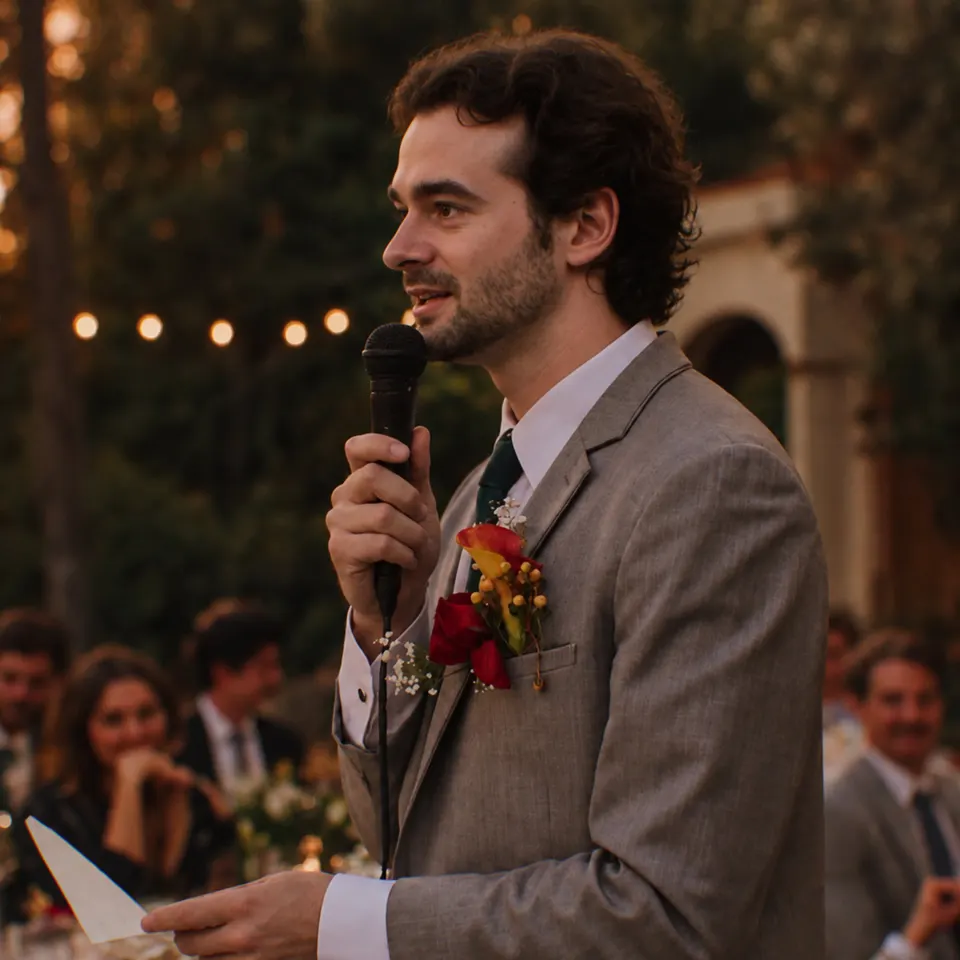
Keep the evidence of your role
Chris's wider wedding photo comes first above. You can see the microphone, notes and seated guests. Together, those details make his speaking role clear. The tighter view emphasizes his face but removes the audience and notes. He's still dressed well; the reason he's holding the room is harder to read.
That's a dating-profile tradeoff, not just a composition preference. The speaking role can communicate Status, while the guests help establish the occasion. A suit by itself doesn't tell the same story. If this is the photo you're using to show confidence in a social role, keep enough of the scene to do that job.
Start every crop with a short description: “me giving a toast,” “me with a friend,” or “me riding a wave.” When the crop turns all three into “my face,” you've probably removed something useful. The wedding-photo guide has more examples of moments worth preserving.
Separate useful context from spare space
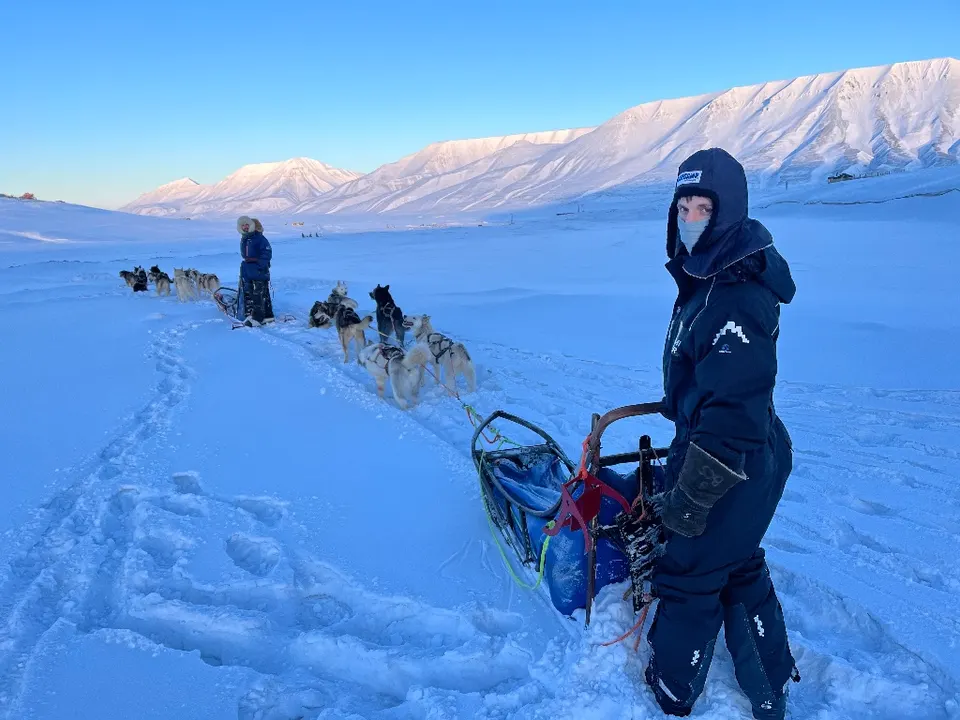
MJ's dog-sledding photo uses the wider view to explain the adventure. The sled and dogs matter. So does enough of the snowy terrain to make the environment readable. A little open snow or sky could go without changing the story, but cutting straight to his hooded face would throw away most of it.
You don't have to keep every inch of a photo. Look at the edges first. An empty strip of pavement, a bright sign or an unrelated person halfway into the frame can draw attention away from you. Trim those distractions if the activity and connection still make sense afterward.
A useful test is to alternate between the original and your crop. Say what disappeared. “Some empty sky” is different from “the dog,” “the surfboard” or “the friend laughing beside me.” Make the decision based on that loss, rather than on whether the crop looks tidier.
What needs to survive the crop?
- Keep you
Can someone recognize you and read your expression or involvement?
- Keep the clue
Leave the people, gear or gesture that explains why the moment is interesting.
- Check it small
Look at the finished frame on your phone. If the meaning is lost, widen it or choose another photo.
Remove distractions until the story starts to disappear. That's where to stop.
Don't turn every social photo into a solo portrait
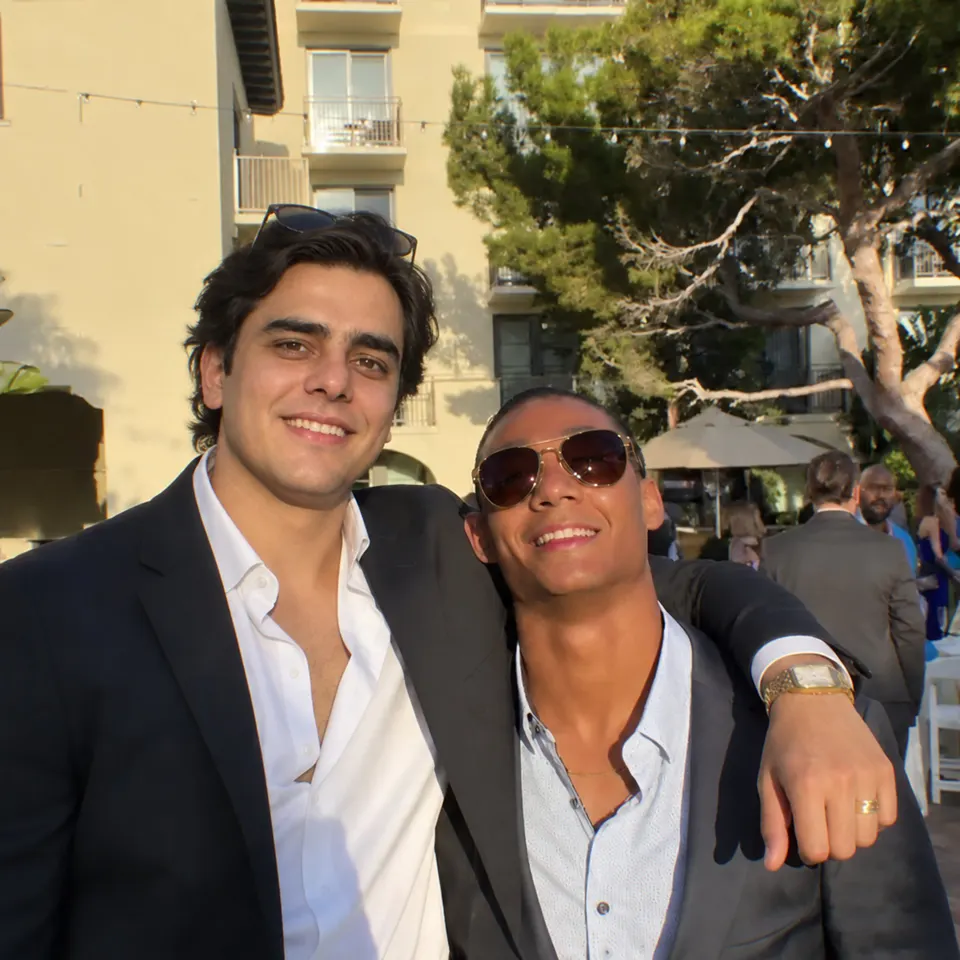
Zain's arm around his friend is part of what makes this photo feel relaxed and sociable. Crop the friend away and you lose the connection. You may also be left with an unexplained arm across the edge of a solo portrait.
Keeping the friend gives Popularity something visible to rest on: the two men look comfortable together. The smiles add Charm. The background crowd sets the scene, but it doesn't do the same work as their direct connection.
If someone could mistake your friend for you, check the rest of the profile before reaching for the crop tool. Your other photos should make you recognizable. You can also choose a frame where you're more prominent or use the social picture later in the lineup. If identification still takes work, choose a different social photo. Our group-photo guide covers that choice.
Leave enough body to show posture and activity
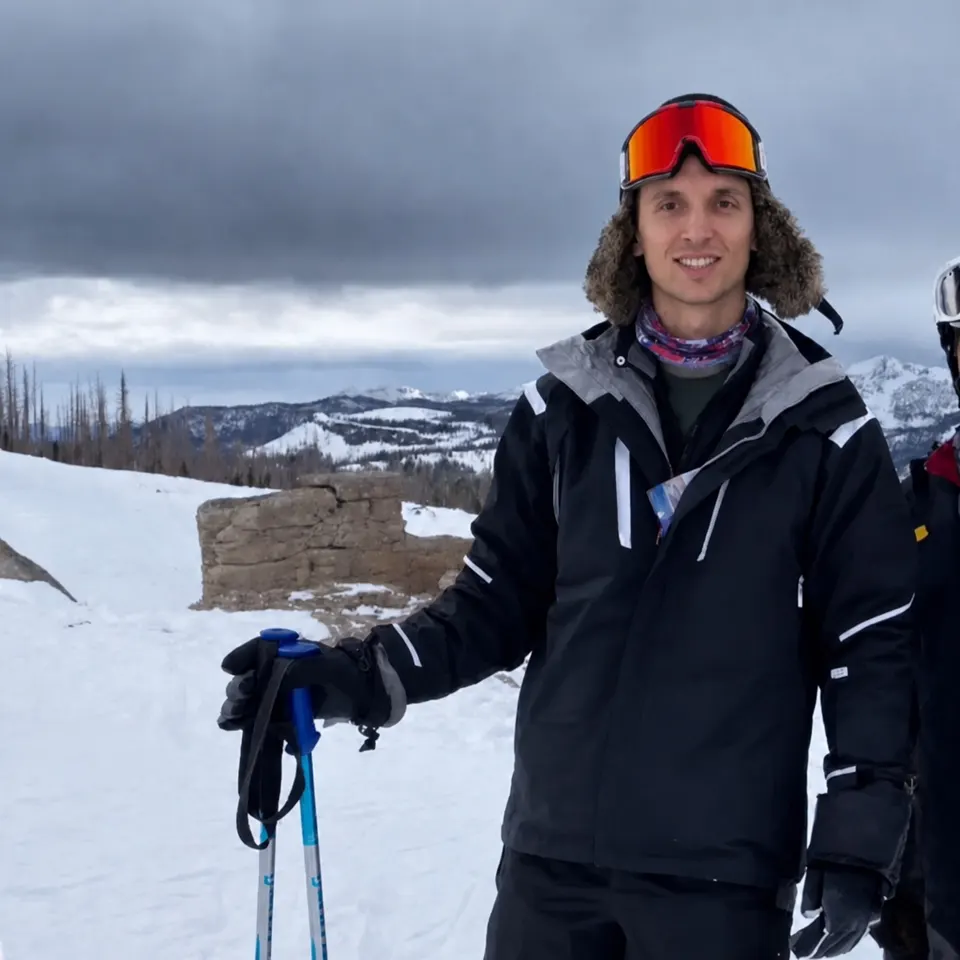
MJ's ski photo includes his upright posture, jacket, pole and mountain setting. His face is visible, but it isn't the whole picture. A crop around just the goggles and smile would lose much of the standing presence and turn a ski scene into another close-up.
When a photo's job is to show Height or Physique, keep enough of your body to give that impression context. When its job is Ruggedness, preserve the action, gear or environment that supports it. You don't need every picture to show your feet, and you don't need to stretch a photo to fill a tall space.
Check where the frame cuts your hands, equipment and joints. A partly visible arm isn't automatically a problem, but a crop that hides what you're holding can make an activity confusing. Keep the whole useful gesture when you can. For choosing the original picture, see the full-body photo guide.
Check the finished app view, not just the editor
Keep the original file and save a separate crop so you can try again. Make a modest crop first, then compare it with the original at roughly the size someone will see on a phone. If you need to zoom in to understand the action, either move the crop closer or choose a clearer frame. If the result looks soft, the blurry-photo guide helps you decide whether to find a better copy or replace the picture.
After uploading, inspect the profile preview. Check the top and bottom edges, your face, and any friend or piece of equipment the photo depends on. If the preview trims away something important, reposition or loosen the crop. If that still doesn't work, use a different photo instead of forcing this one into the slot.
Finally, look at the whole lineup. If every crop ends at your shoulders, someone may learn what your face looks like without learning much about life with you. Keep a mix of distances when those wider views add something: company, an activity, a sense of place or your full presence.
Photomaxxer evaluates both photos and profiles across Face, Height, Physique, Money, Ruggedness, Status, Popularity, Charm and Humor. A crop can strengthen one impression while removing another. Choose the version that keeps this photo useful alongside the rest, rather than trying to make every image cover every trait.