How to Test Dating Profile Photos Without Chasing Every Like
Compare one change without chasing every like.
To test a dating profile photo, change one thing you can name and keep the rest of the profile steady. Decide what you're trying to learn before looking at the next batch of likes. A photo swap can help you make a better choice, but a busy evening doesn't prove you've found a winner.
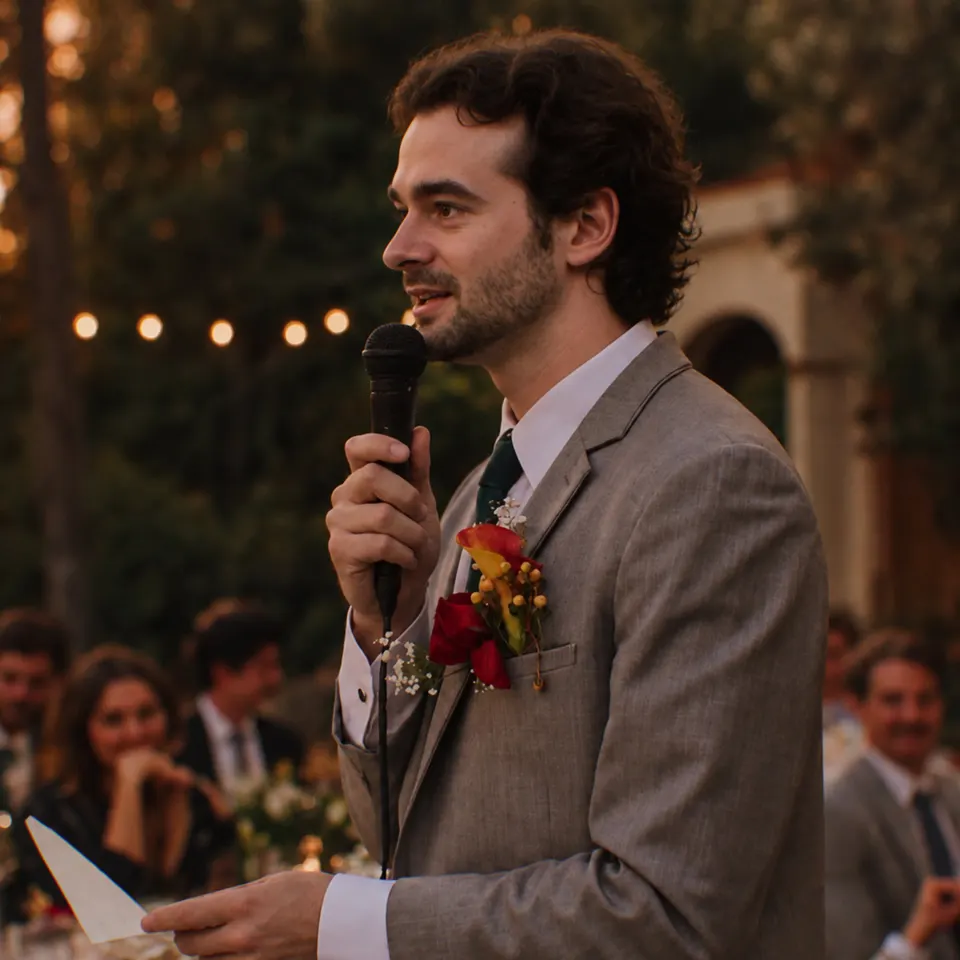
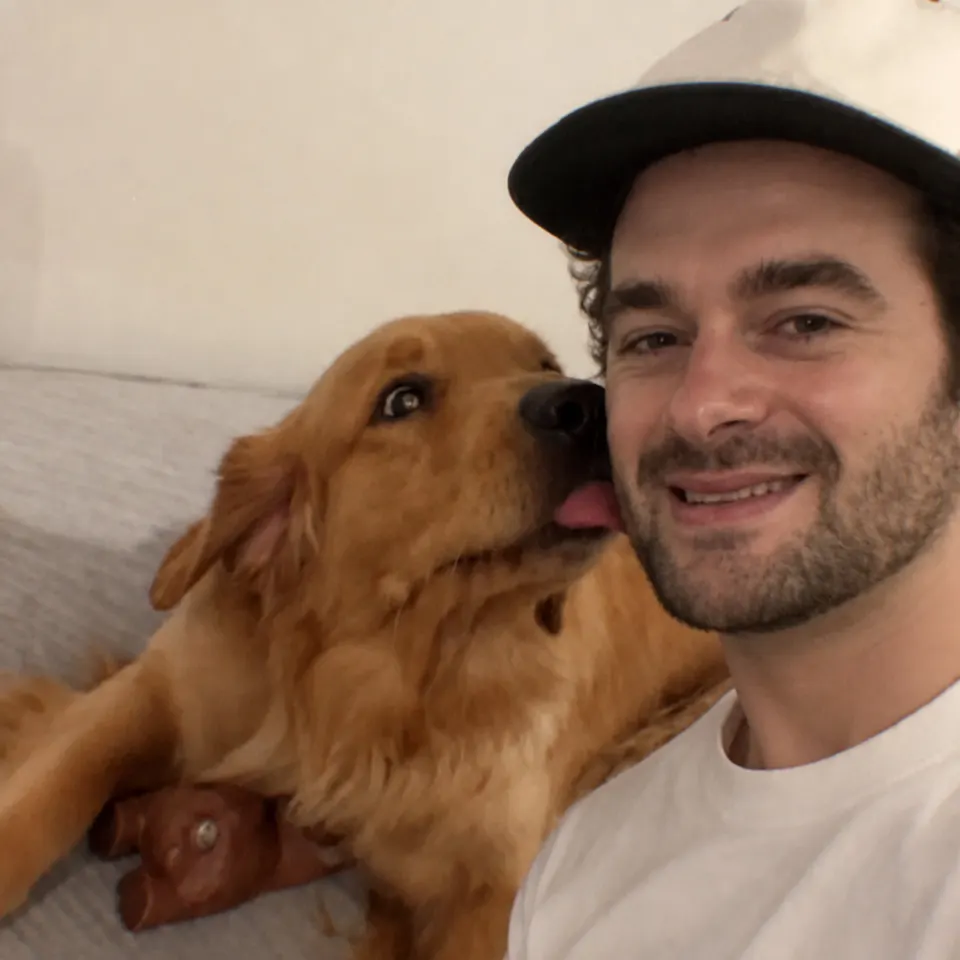
Start with a question about the impression
Chris's speech photo gives him a visible role: microphone, notes and an audience. The dog photo brings his face closer and adds a warm, playful interaction. Those are different reasons to be interested. The useful question is whether to lead with that social role or that warmth, not which picture is universally better.
If both photos already belong in the lineup, you could compare their positions while keeping the same set. If you're replacing a photo, keep the slot fixed. Don't replace the picture, move three others and rewrite the bio in the same round. You'd have several possible explanations for whatever happens next.
Write your question in one sentence: “Does this opening feel more inviting?” or “Does an activity photo give people something specific to ask about?” That's more useful than “Will this get me more matches?” because it tells you what to look for in the picture and the response.
Save the starting point and make one change
Before editing, save your current photo order and profile text. Note the date, the photo or position you're changing, and why. This gives you a way back and stops your memory from turning the old lineup into something it wasn't.
Use the same app for the comparison. Keep your bio, prompts, location and discovery preferences steady where practical, and use the app in your normal way. If you travel, change preferences or use a paid visibility feature, record it. Comparing an ordinary week with a trip or an unusually active stretch doesn't isolate the photo.
Check automatic photo-order settings too. For example, Hinge says Top Photo can reorder your photos, and the public order can differ from the order in your editor and preview. Turn that feature off if you're trying to compare a manually chosen first photo. Otherwise you may not be testing the opening you think you are.
One question, one change, one review
- Name the question
Choose the impression or missing detail you want to improve.
- Keep a clear record
Save the lineup and change one photo or one ordering choice.
- Review the pattern
Look at responses, changed conditions and the full profile together.
An unclear result is a reason to stay cautious, not to invent a winner.
Look for responses that connect to the photo

Chris's paddle photo offers a lake outing, company and something to ask about. If a photo like this replaces a repeated solo portrait, a useful sign would be people asking about the activity or suggesting something related. That tells you the scene is giving them a conversational opening.
It still doesn't prove the photo caused a match. Someone can respond to the outing after liking another part of the profile. Keep that distinction in your notes: “Two people asked about paddling” describes what happened; “This photo doubled my appeal” invents an explanation.
Track what matters to your goal. You might note incoming interest, conversations you'd want to continue and whether people mention the new photo. Separate likes you receive from matches after likes you send. If you sent many more likes during one version, the match totals aren't a clean comparison.
A short note is enough: which version was showing, how you used the app, what responses stood out and anything unusual about that period. You don't need to turn every conversation into a score.
Don't give a tiny sample a big story
A quiet stretch followed by a few good conversations can feel decisive. It usually leaves several unanswered questions: who saw each version, how often they saw it, and what else made them interested. A manual before-and-after swap isn't a randomized A/B test.
Choose a review point in advance so you don't switch back after every slow evening. Give each version a comparable stretch of normal use, including similar days of the week. There's no fixed number of days or likes that makes every personal photo test reliable. If you get little activity, the result may simply be inconclusive.
If an apparent improvement disappears when you return to the earlier version, that can make the pattern more interesting. It still isn't proof: the audience and timing keep changing. Treat repeated observations as help with a decision, not as a permanent rating of your attractiveness.
Keep the better lineup, not just the busier photo
After the review, read the profile from the beginning. Did the new picture add warmth, an appealing activity or a clearer social role? Did it remove your only useful full-body view or repeat a scene you already had? A photo can attract attention and still make the overall introduction narrower.
In Photomaxxer's terms, the dog interaction can contribute to Charm, while the speaking role can contribute to Status. You don't need to pick one trait for the whole profile or maximize every trait. Choose which impression leads and which photos support it. The photo-order guide helps with that decision.
If the responses don't settle the choice, use visible strengths and the profile's missing pieces. Ask for specific photo feedback instead of repeatedly changing the lineup to chase small fluctuations. Finish with one decision: keep the change, restore the previous version, or try a genuinely different photo that answers the original question.