How to Choose AI Dating Photos That Fit Your Profile
Choose a recognizable person, a coherent scene and a useful addition.
Choose AI dating photos by checking three things: whether the person still looks like you, whether the scene makes sense and whether it adds something your profile needs. A flattering result is only a candidate. The keeper should make you recognizable and give someone another reason to want to meet you.
Choose the impression before choosing the image
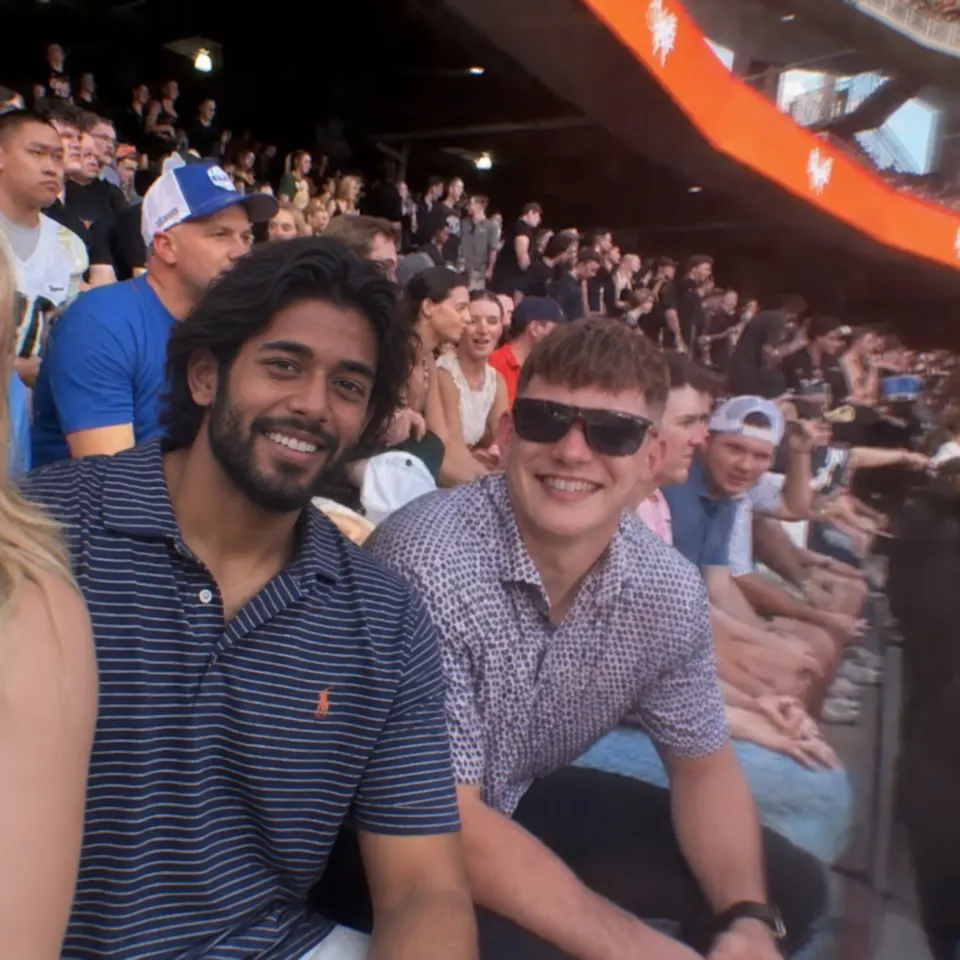
This AI-generated stadium example from Rohan's profile combines a visible smile, close company and a shared setting. The useful idea is a relaxed social moment. The crowd alone isn't the point; the two people together give the scene its connection.
That makes it a useful candidate for a lineup full of solo photos. In a lineup already packed with similar social scenes, it may repeat what's there. Start by naming what you're trying to add: warmth, an interest, an active side or a clearer sense of how you spend time with people.
Photomaxxer's examples include AI-generated social and activity scenes. Judge those scenes as complete dating-profile photos. A richer setting can communicate more than a different background behind the same headshot, but it still needs to fit the person and the rest of the profile.
Compare the person with photos you're already keeping
Put a candidate beside a few current photos of yourself. Compare the face, hair, facial hair and build. Don't let a great outfit or dramatic location distract you from a face that no longer resembles yours. If an output changes a feature that makes you recognizable, leave that result out of the shortlist.
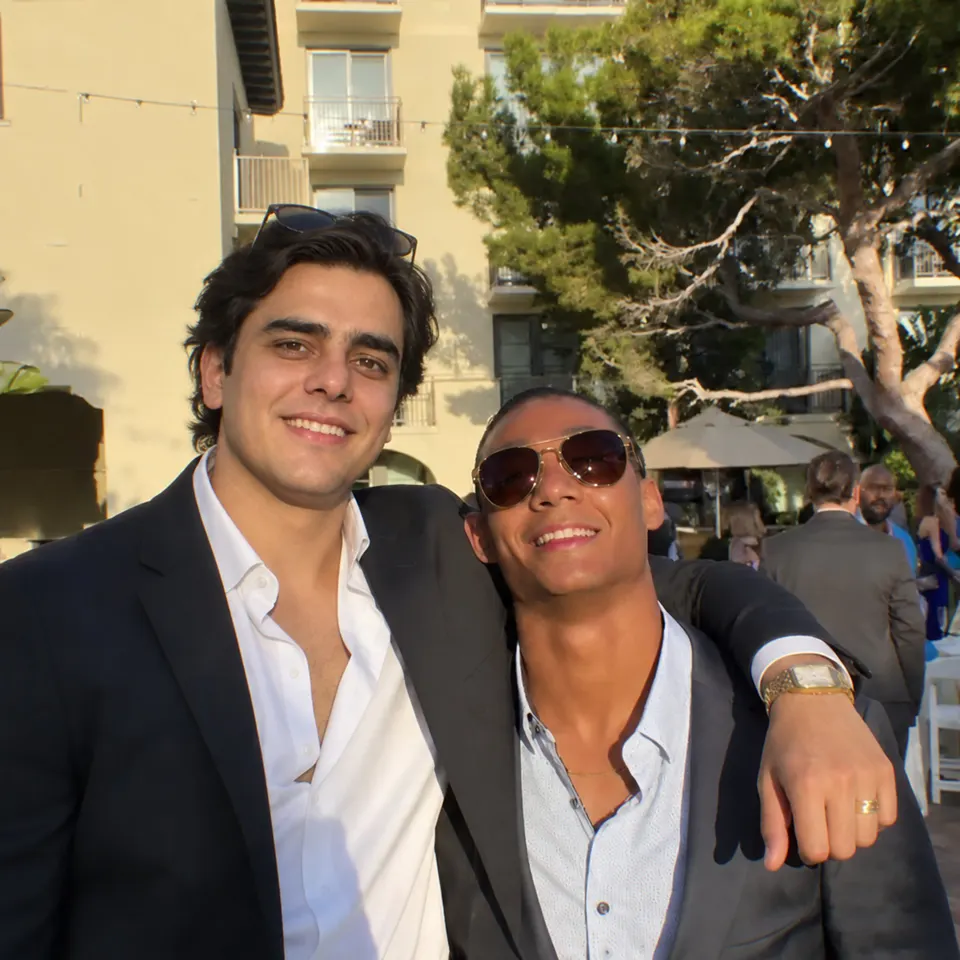
The pair below shows Zain in a white shirt in a non-AI photo, followed by an AI-generated example in a dark jacket. They're separate scenes. Use the comparison to see why a current photo is a useful reference for your own review; a successful selection needs more than similar clothes or hair.
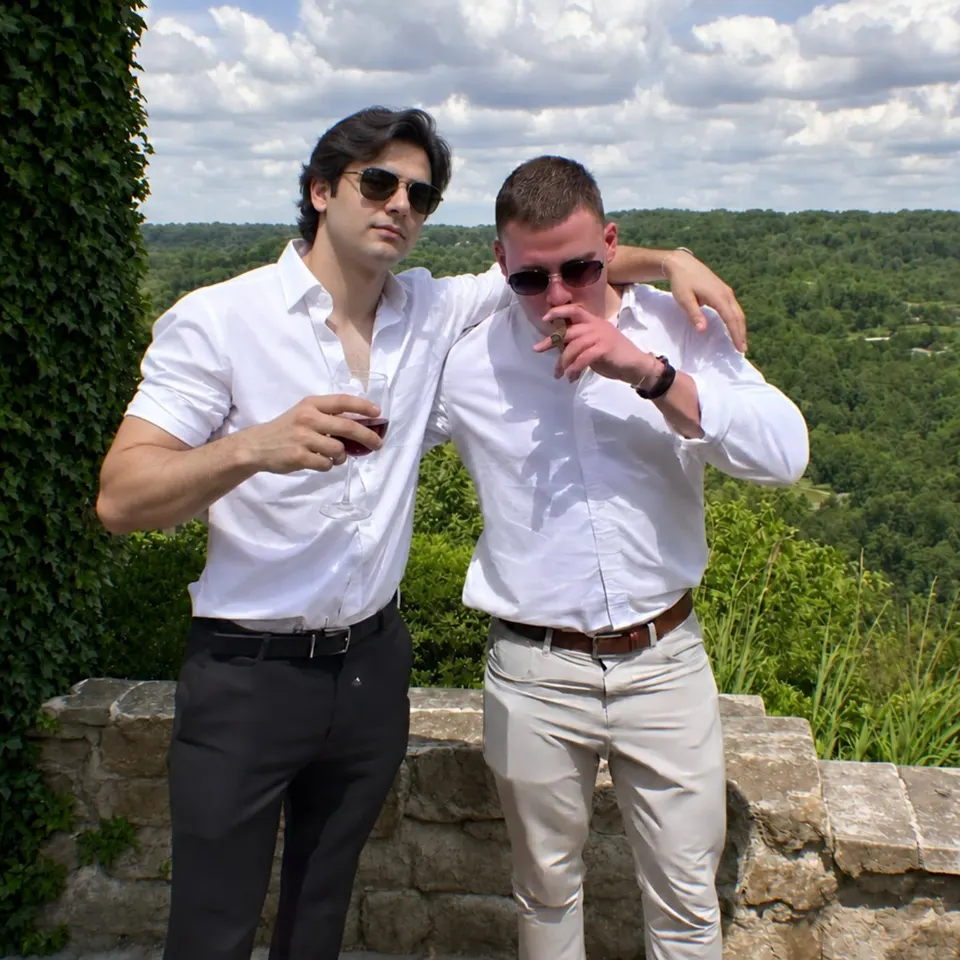
The sunglasses in the white-shirt photo hide part of Zain's face. That's a useful reminder to compare more than one current picture when reviewing your own results. Choose references with different expressions and an unobstructed view, so one angle or accessory doesn't do all the work.
Then check the candidate at the size someone will actually see in a profile. You should be easy to identify without zooming in. A wider activity shot can still belong in the lineup; it just needs support from the other pictures. The cropping guide explains how to preserve useful context while making the subject easier to follow.
Read the whole scene, including the interaction
After likeness, look at what people are doing. Can you follow the pose, the equipment and the interaction without having to explain away something awkward? In Zain's dark-jacket example, the arm around the other person and their shared attention make the social moment easy to read. A row of people standing far behind you wouldn't communicate the same connection.
Look at hands touching clothing or equipment, how bodies overlap and whether the activity makes sense. If a distracting detail pulls attention away from the moment, choose another result. You don't need to rescue every candidate just because you like its setting.
Be equally specific about the impression. A suit can show how you dress; it doesn't establish achievement or authority by itself. A busy venue supplies context; engaged interaction is what can convey Popularity. A playful expression can add Humor or Charm. Choose the visible detail that supports the impression you want.
Give each candidate the same quick review
- Check the person
Does it resemble you beside your current photos?
- Read the scene
Does the activity or interaction make sense?
- Compare the lineup
Does it add a useful impression you don't already have?
Keep a result because it works in your profile, not because you generated it.
Choose between different scenes that do the same job
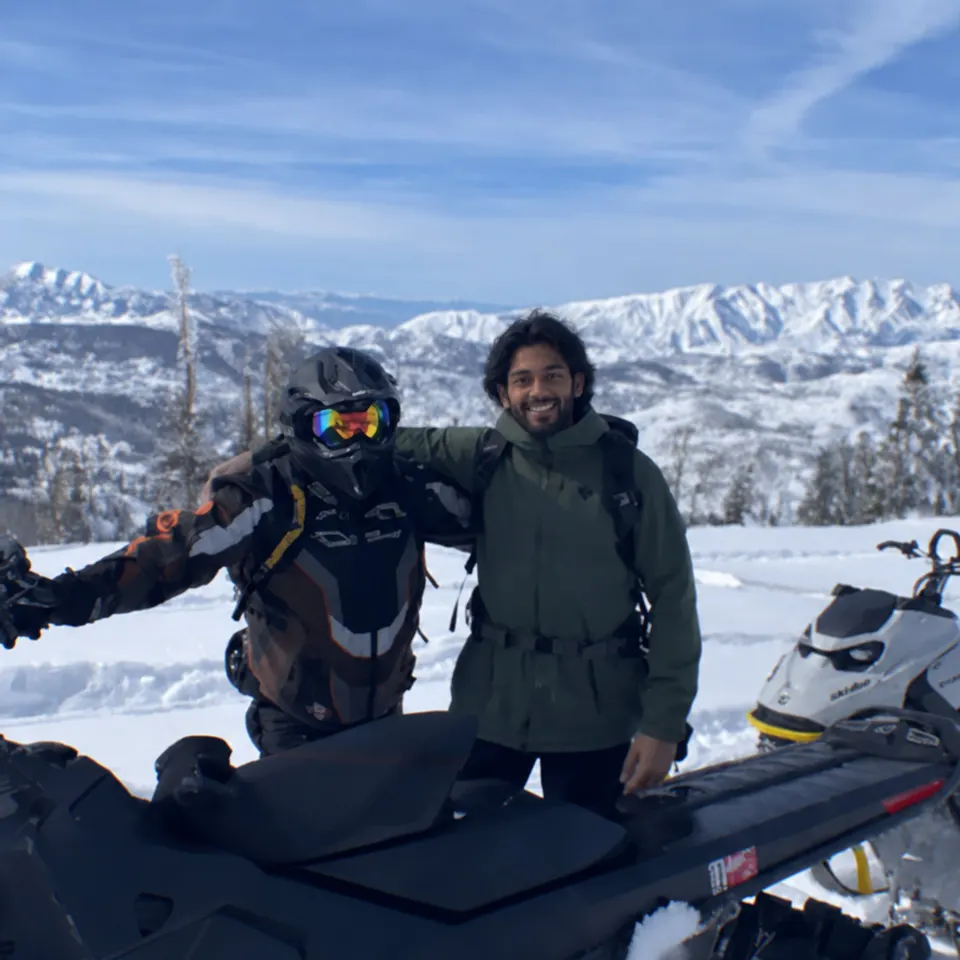
Rohan's AI-generated snowmobile example adds winter equipment and a mountain setting to another close social moment. Compared with the stadium scene, it gives the profile a more outdoorsy direction. The activity context is different, even though both pictures show company.
Decide which direction suits your profile. If your other photos already cover outdoor interests but feel solitary, the stadium scene could add a different kind of shared time. If they're mostly indoor social occasions, a winter activity scene could broaden the mix. These are examples of how to choose, not a rule that every profile needs both.
Keep the scene connected to interests and situations you can talk about comfortably. An AI-generated image isn't evidence that a particular outing happened. Choose a scene that helps express your interests without building your profile around a story you'll have to invent.
Think about the full set of traits: Face, Height, Physique, Money, Ruggedness, Status, Popularity, Charm and Humor. They aren't equal quotas to fill. An activity can suggest capability or Ruggedness, while a shared smile adds warmth. You don't need a separate image for every trait or an extravagant scene to make a photo useful.
Make a small shortlist, then review the whole profile
Compare similar results directly and keep the one that makes the moment easiest to understand. If several outputs show the same clothing, expression and interaction, changing the venue alone may not give you meaningful variety. Set the duplicates aside before deciding how many new photos to use.
Place the remaining candidates among the photos you're keeping. Look for a recognizable person across the lineup, different reasons to be interested and a sensible flow between scenes. The photo-order guide can help you judge what each picture contributes as someone moves through the profile.
If you're torn between two candidates, ask for specific feedback: “Which looks more like me?” or “Which adds more to this lineup?” Those questions are easier to act on than “Which is hotter?” Our photo-feedback guide shows how to keep the discussion useful.
Finish with the photos that make the profile feel more complete. Sometimes that's one new social scene. Sometimes an activity result replaces a repetitive solo picture. The size of the generated batch doesn't decide how many you should keep.