Can You Use the Same Photos on Different Dating Apps?
Reuse the photos that work. Check each finished profile.
Yes, you can build profiles on different dating apps from the same set of photos. You don't need a separate personality or a new shoot for each one. Reuse the pictures that introduce you well, then check how the crop, order and surrounding words work in each finished profile.

Keep the photos whose appeal travels
Jason's wakesurf photo gives you an activity, a full-body view and a setting you can imagine enjoying. Those details don't depend on an app logo. The board and wave explain what he's doing; his stance makes the action readable. There's no reason to discard that story just because you're creating another profile.
Start with a shared pool of your strongest pictures. Include different reasons someone might want to meet you: warmth, company, an interest, a playful moment or a role you're proud of. Then choose a lineup from that pool for each app. The lineups can be identical if the photos still work together.
You don't need one “serious” set and one “fun” set based on assumptions about everyone using a particular app. Keep your actual intentions and interests consistent. Adjust the presentation where the profile needs it, rather than inventing a different version of your life.
Upload from the original files
Keep a folder with the photos you want to reuse and their original versions. Upload from those files instead of taking screenshots of one dating profile to build another. A screenshot can carry interface elements, an old crop or reduced detail into the next upload.
Keep any alternate crop as a separate file with a useful name, such as “lake-wide” or “lake-closer.” That makes it easier to try a different framing without losing the board, friend or gesture that made the original interesting. You don't need to maintain a complicated archive; you just need to know which version you're uploading.
For Jason's wakesurf photo, check that the finished view still shows the board and enough of the wave. If it becomes a close-up in a life jacket, you've lost much of the activity. The cropping guide explains how to preserve those useful clues.
Make each profile read well on its own
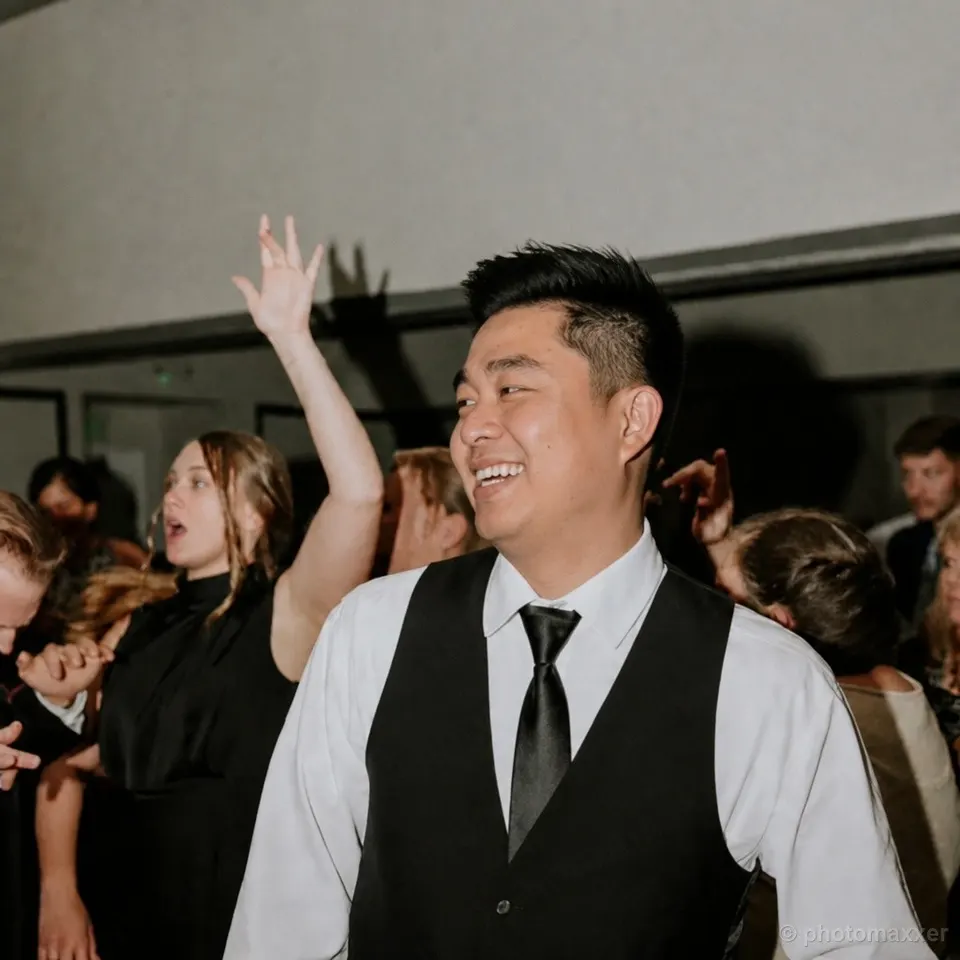
Jason's wedding photo brings something different from the water scene: a broad smile and people caught up in a celebration. Together, the two pictures give the profile more range. Reusing both is more useful than keeping the activity photo on one app and every warm, social moment on another.
Review the order from the perspective of someone who will see only this profile. Can they recognize you before a busy scene? Does the next picture add something? Have you accidentally kept three versions of the same outing while leaving out the only photo that shows a relaxed interaction?
Don't fill extra slots with weaker duplicates just to make two profiles the same length. Meet the app's current requirements, then judge each additional photo by what it contributes. Our photo-count guide helps you decide when to add, swap or stop.
Keep the core, check the fit
- Choose the shared pool
Keep photos that show different appealing parts of your life.
- Check each view
Make sure the crop preserves you and the detail that matters.
- Read the whole profile
Let the order and words make the photos work together.
Reuse a strong introduction. Change what needs to fit the finished profile.
Adapt the words without repeating the obvious
A photo can support different pieces of profile text without changing what it says about you. Beside an activity picture, one profile might explain how you got into the hobby; another might describe a weekend you'd like to share. Use the available space to add something someone couldn't get from the image alone.
For a lake photo, “I spend every free weekend hunting for another place to get on the water” adds an interest and a possible plan, if it's true for you. “Here I am on a board” only narrates the picture. Choose a detail that gives someone an easy way into a conversation.
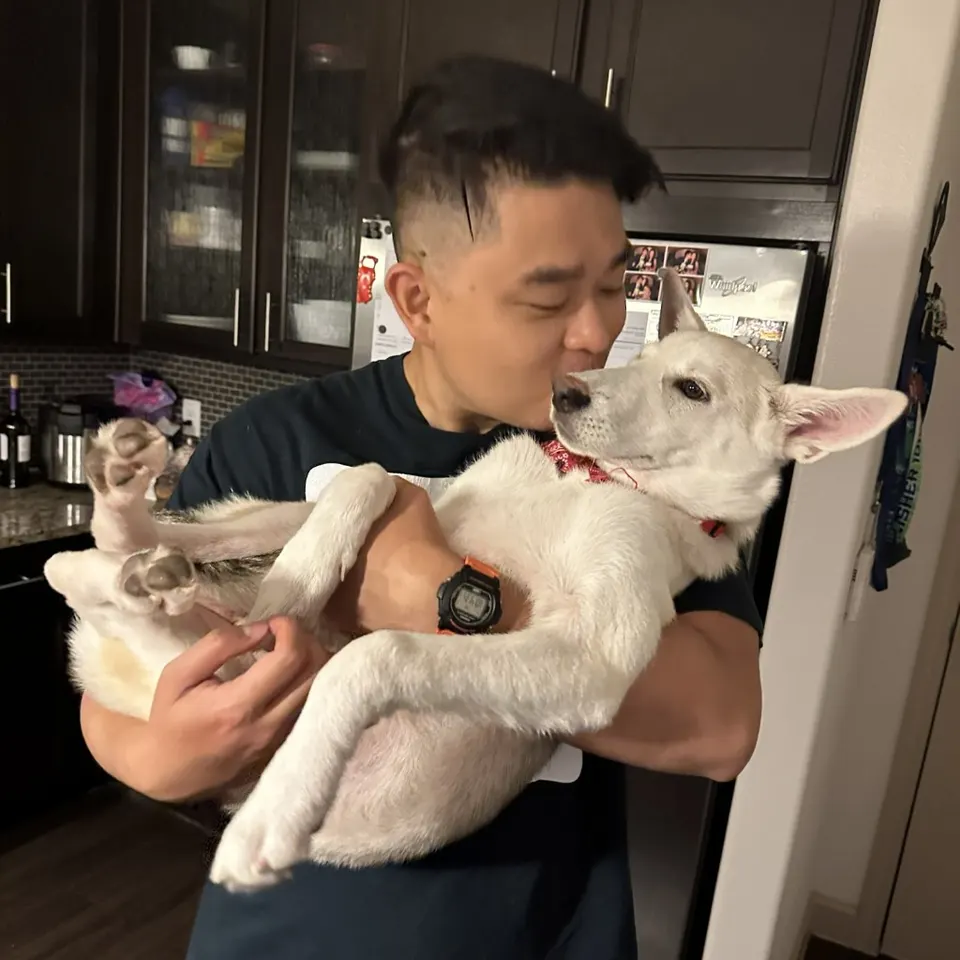
Jason's dog photo already supplies a close, affectionate interaction. That can contribute to Charm without a sentence announcing that he's caring. Text could add the dog's personality, a routine or another part of his life instead. Keep the relationship to the animal accurate; the picture alone doesn't establish ownership.
Read the words and images together on each app. If several answers and photos all cover the same interest, use one answer to open another conversation. The photos-and-prompts guide covers that balance.
Preview each version before calling it finished
Check the actual profile, not just the images in your camera roll. Look at the photo edges, the order and where the text sits. Hinge's editing guide explains its View option, and Tinder's editing guide covers updating and previewing a profile. Use the controls available in your current app.
If an automatic photo-order feature is enabled, check what it changes before relying on your chosen sequence. Hinge notes that Top Photo can show a different public order from the editor and preview. A saved lineup isn't always the displayed lineup.
When you replace an outdated photo, review the other profiles where you reused it. Keep the current set together so one account doesn't quietly become an older introduction. You don't have to make every change everywhere; do update anything that no longer represents the person someone will meet.
Finally, don't judge the same photo by raw match totals from two different apps. You're comparing different profiles, audiences and ways of using them at once. Reuse the photo because it earns its place in each lineup. If you want to examine a particular change, the photo-testing guide helps you keep that comparison focused.